
MICROSOFT SOLUTIONS PARTNER
Dynamics 365 CRM Consulting and Implementation Services
A CRM that actually syncs with Outlook and Teams. No complex code. No adoption struggles. Just a clean pipeline.
Strengthen Customer Relationships with Microsoft CRM Tools
Microsoft Dynamics 365 CRM solutions help businesses manage customer relationships, sales, and service processes through integrated, cloud-based tools.
Unified Tools for Customer Engagement and Relationship Management
Microsoft Dynamics 365 combines CRM and ERP features to give your team a clear view of customer interactions, support needs, and business performance. These cloud-based tools work together on a unified platform to improve consistency across all customer touchpoints.
360-Degree Customer View
See full customer interaction history - including communications, purchases, and service requests-across all channels in one place.
AI-Powered Insights
Use built-in analytics to predict customer needs and suggest the next step based on past behavior and current trends.
Scalable and Flexible
Choose the modules you need now and expand later as your business processes grow or shift.
Manage Customer Interactions Anywhere
Access your CRM applications securely from anywhere. Microsoft Cloud ensures system reliability while helping reduce IT overhead and scale with your business.
Intelligent Automation
Reduce repetitive tasks by automating processes such as case routing, lead scoring, or follow-up emails using Microsoft’s intelligent workflow engine.
Connected Across Systems
Integrate Dynamics 365 CRM with Microsoft 365, Power Platform, and third-party apps using a wide range of available connectors for smoother data flow and fewer silos.
Microsoft Tools Supporting Customer Engagement and CRM
Explore a full range of Dynamics 365 CRM solutions designed to improve customer engagement, sales operations, service delivery, and business performance.
Dynamics 365 Sales
Drive sales through better customer engagement that track leads, manage opportunities, and forecast performance using real-time data.
- Lead and opportunity tracking
- Sales forecasting and analytics
- In-app guidance and AI-based suggestions
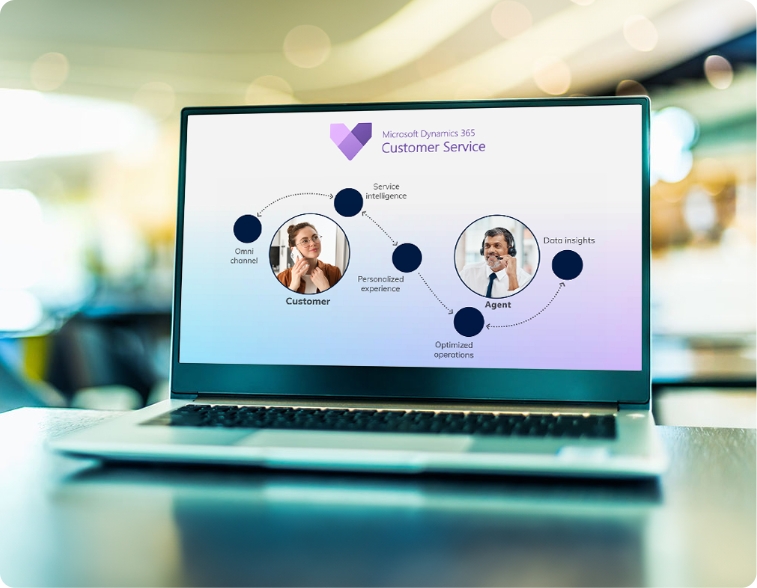
Dynamics 365 Customer Service
Improve customer satisfaction with tools that manage support cases, automate responses, and offer self-service options.
- Omnichannel customer engagement
- Built-in knowledge base
- Virtual agents and chatbot support
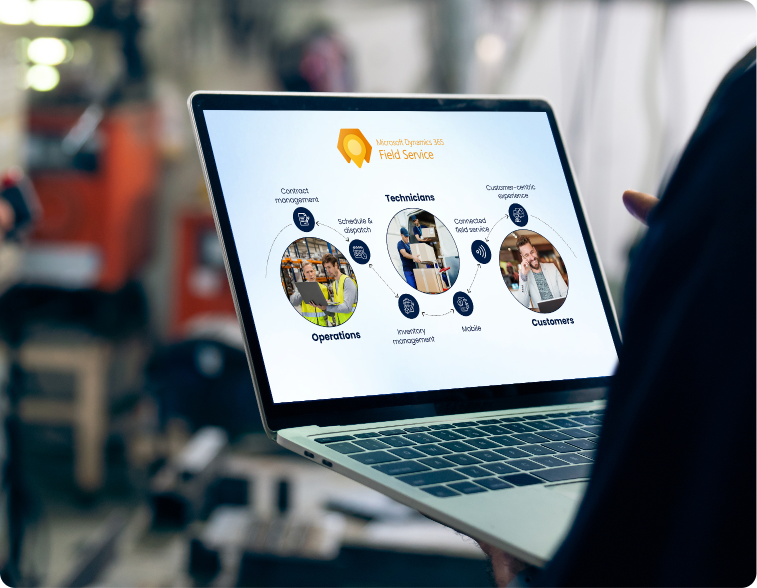
Dynamics 365 Field Service
Coordinate field operations more efficiently using scheduling, asset tracking, and mobile tools built for on-site service.
- Intelligent resource scheduling
- Mobile workforce management
- IoT integration and predictive maintenance
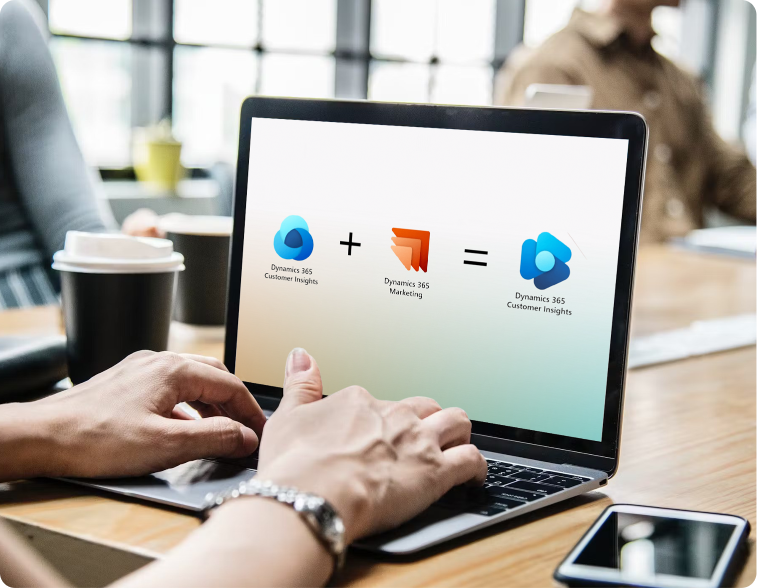
Dynamics 365 Customer Insights
Unify customer data to gain a 360-degree view of customers, discover insights, and deliver personalized experiences that drive loyalty.
- Centralized customer profiles
- AI-powered predictions and segments
- Real-time insights and activation
Power Platform Integration
Extend and customize your Dynamics 365 applications with low-code tools that enable anyone to analyze data, build solutions, and automate processes.
- Power Apps for custom applications
- Power Automate for workflow automation
- Power BI for reporting and KPIs
Microsoft Copilot for Dynamics 365
Use AI to draft content, summarize information, and generate recommendations-right inside your Dynamics 365 apps.
- AI-generated content and insights
- Context-aware prompts and queries
- Natural language understanding
Connected Customer Engagement Across Microsoft Platforms
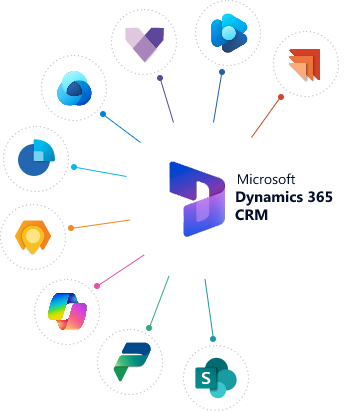
Dynamics 365 CRM solutions work on a unified cloud platform and integrate with Microsoft 365, Azure, and a wide range of third-party tools. These integrations make it easier to connect your business data and extend CRM capabilities across your systems.
Microsoft 365
Azure Services
Power Platform
SharePoint
Teams
Ready-to-use integrations with major business applications
Dynamics 365 Customer Service
Deliver consistent and personalized service experiences using Dynamics 365 CRM solutions designed to support agents and improve response time.
Client Case Study: PWSC
Hear from Joe Alcock, Chief Financial and Operating Officer of Professional Warranty Services Corporation (PWSC), as he shares his experience working with Alphavima Technologies.
Discover how Alphavima's expertise exceeded expectations by delivering:
- Tailored Microsoft-based applications
- Proactive project management
- Cost-effective and timely solutions
- True partnership with open communication
Key highlights:
- Innovative approach to data management
- Proven track record with similar clients
- Timely and budget-conscious delivery
Dynamics 365 Customer Service Features
Deliver consistent and personalized service experiences using Dynamics 365 CRM solutions designed to support agents and improve response time.
Deliver Better Customer Service Through Consistent Engagement
Omnichannel Engagement
Interact with customers across multiple channels - including voice, chat, email, social media, and in - person - with a unified agent experience.
AI-Powered Insights
Use artificial intelligence to analyze service history, recommend helpful articles, and guide agents toward the next best response.
Knowledge Management
Maintain a searchable knowledge base with accurate, pre-approved answers that agents can access in real time.
Omnichannel Engagement
Provide connected support across digital and traditional channels.
- Unified CRM interface for agents
- Support via email, voice, social media, and SMS
- Persistent conversation history across channels
AI & Virtual Agents
Use chatbots to manage basic queries and reduce agent workload.
- No-code chatbot creation
- Understand natural language inputs
- Escalate automatically to live agents
Case Management
Organize, assign, and resolve support cases faster.
- Intelligent case routing
- SLA tracking and management
- Automated case resolution
Dynamics 365 Customer Service Capabilities
Dynamics 365 Sales
Support your sales team with tools for tracking leads, managing opportunities, and improving decision-making through real-time data and process automation.
Support Relationship-Driven Sales Conversations
Dynamics 365 Sales helps your team focus on qualified leads, reduce time spent on manual tasks, and manage the entire pipeline with built-in CRM tools. From forecasting to automation, these Dynamics 365 CRM solutions improve sales consistency and close rates.
Sales Forecasting & Pipeline Management
Track and forecast sales performance with visual dashboards based on historical activity and AI-assisted trends.
Relationship Intelligence
Monitor buyer behavior, assess engagement levels, and get suggestions to strengthen ongoing deals.
Sales Acceleration
Automate tasks like data entry, quote creation, and follow-up scheduling so your team can focus on high-value conversations.
Lead & Opportunity Management
Track and manage leads through the entire sales process with intelligent lead scoring and automated workflows.
- Built-in lead scoring
- Process automation for quotes and proposals
- Workflow tracking from first contact to deal close
Sales Intelligence
Make smarter decisions with AI-powered insights that help identify the best opportunities and next best actions.
- Analyze relationship health
- Predict likelihood to close
- Opportunity risk identification
Sales Collaboration
Enable smooth teamwork with tools that facilitate collaboration between sales, marketing, and customer service teams.
- Microsoft Teams and Outlook integration
- Document sharing & co-authoring
- Conversation intelligence
Advanced Sales Capabilities
Dynamics 365 Sales includes specialized tools designed to meet the needs of modern sales organizations.
Sales
Accelerator
Guide sellers through prioritized actions with a structured work queue that surfaces relevant leads and follow-ups.
Productivity improvement: Up to 25%
Conversation Intelligence
Review sales calls to identify common objections, customer sentiment, and coaching opportunities to improve deal outcomes.
Advanced Forecasting
Generate detailed forecasts by comparing target vs. actual performance using metrics, timelines, and role-based filters.
Mobile Sales Experience
Access and update opportunities on the go with mobile CRM access. View deal stages, contacts, and sales notes from any device.
Boost productivity by up to 25%
Real Business Results
Organizations using Dynamics 365 Sales CRM have reported measurable gains in sales performance and team efficiency.
Dynamics 365 Field Service
Improve on-site service quality and reduce operational delays with Dynamics 365 CRM solutions built for field teams, schedulers, and service coordinators.
Maintain Customer Relationships Through Coordinated Field Service
Field Service (Dynamics 365 module) helps your team manage field operations, assign the right technician to each job, and track work order progress. The platform supports optimized scheduling, mobile access, and remote diagnostics using IoT and mixed reality.
Intelligent Scheduling
Use AI-powered scheduling to automatically assign the right technician to the right job, optimizing routes and minimizing travel time.
IoT-Connected Field Service
Receive IoT alerts for equipment issues, allowing teams to diagnose and resolve problems remotely - even before the customer notices.
Mixed Reality Assistance
Enable technicians to collaborate with remote experts using Microsoft Dynamics 365 Remote Assist on HoloLens devices or mobile phones.
Work Order Management
Track the full lifecycle of service jobs-from request to completion.
- Customizable work order templates
- Step-by-step guidance for technicians
- Mobile-friendly interface
Resource Scheduling Optimization
Dispatch the right technician with real-time routing logic.
- Skill and location-based technician matching
- Route planning and travel optimization
- Real-time schedule adjustments
Inventory Management
Monitor parts and tools to ensure availability for scheduled jobs.
- Real-time inventory and reorder tracking
- Automated part requests
- Support for van-based and warehouse stock
Advanced Field Service Capabilities
Dynamics 365 CRM solutions for field service teams include tools that improve technician efficiency, reduce equipment downtime, and support mobile service delivery.
Remote
Assist
Allow technicians to share what they see and receive step-by-step guidance from experts using HoloLens or mobile devices.
Reduces the need for repeat visits by 20%.
Predictive
Maintenance
Use IoT and AI to detect equipment issues early and trigger maintenance actions before failures occur.
Lowers unplanned downtime by up to 30%.
Mobile Technician
Experience
Access service history, work orders, and asset data from any device to complete tasks without returning to the office.
Improves technician productivity by 25%
Customer
Communications
Keep customers updated with appointment details, technician profiles, and service status via a mobile-friendly interface.
Increase customer satisfaction by 15%
Field Service Transformation Results
Organizations using Dynamics 365 Field Service have experienced significant operational improvements:
Dynamics 365 Customer Insights
Get a complete view of your customers by connecting data from multiple systems and uncovering insights that support better decision-making and personalization.
Connect Insights to Improve Customer Relationships
Dynamics 365 Customer Insights helps you combine CRM, ERP, web, and point-of-sale data into a single view. This unified profile allows you to track customer journeys, understand preferences, and deliver targeted campaigns based on real-time behaviors.
Unified Customer Profiles
Consolidate customer data from multiple sources including CRM, ERP, point-of-sale, web, social media, and IoT devices into a single, comprehensive view.
AI-Powered Customer Analytics
Use advanced AI models to identify patterns, predict customer needs, and deliver actionable recommendations for creating personalized experiences.
Customer Segmentation
Create dynamic customer segments based on demographics, behaviors, and preferences to target customers with the right message at the right time.
Data Unification
Connect and standardize customer data across platforms:
- 200+ built-in data connectors
- AI-based identity matching
- Rule-based data mapping
Customer Segmentation
Group customers using shared patterns and real-time data:
- Automatically generate dynamic segments
- Receive updates as behavior changes
- Model lookalike audiences for targeting
AI-Powered Predictions
Use predictive models to guide customer strategies:
- Churn prediction models
- Generate product recommendations
- Customer lifetime value forecasting
Advanced Customer Insights Capabilities
Use customer data more effectively with features designed to improve segmentation, engagement, and decision-making through Dynamics 365 CRM solutions.
Customer Journey Analytics
Guide sellers with data-backed activity queues that surface next steps for active customers.
Conversion rates improve by up to 25%.
Engagement
Insights
Track how users interact across digital channels to refine targeting and campaign performance.
Increases marketing ROI by up to 30%.
Enrichment & Activation
Expand profiles using third-party data and connect segments to sales, service, or marketing apps.
Personalized engagement at scale.
Customer Measures & KPIs
Create custom metrics to monitor satisfaction, churn risk, and loyalty across all customer touchpoints.
Enables faster, data-driven decisions.
Business Outcomes
Organizations using Dynamics 365 Customer Insights have achieved significant improvements in key business metrics:
Our FAQ for clear and insightful answers!
How does Microsoft Copilot (AI) improve Dynamics 365 CRM?
Microsoft Copilot acts as an AI assistant embedded directly inside your CRM.[1] Instead of manually entering data, your sales team can use Copilot to automatically summarize meeting notes, draft personalized email follow-ups based on customer history, and update opportunity records using natural language. For Alphavima clients, we configure Copilot to specifically track "Buying Signals" - alerting your team when a prospect's email tone changes or when a high-value stakeholder engages, reducing administrative time by up to 40%.
Can we migrate from Salesforce or HubSpot to Dynamics 365 without losing historical data?
Yes, migration is one of our core specialties. We use a "Data-First" approach to migrate your Accounts, Contacts, Leads, and Opportunities from Salesforce, HubSpot, or legacy on-premise systems. Unlike standard import tools that often break relationships, we map your historical interactions (emails, notes, and calls) so your team has a complete 360-degree view on Day 1. We also run parallel "Mock Migrations" to ensure 100% data integrity before we switch off your old system.
What is the difference between Dynamics 365 Sales and Dynamics 365 Customer Service?
While they share the same database (Dataverse), they serve different functions. Dynamics 365 Sales is optimized for "Hunters" - it focuses on Lead Scoring, Opportunity Pipelines, and Forecasting. Dynamics 365 Customer Service is for "Farmers" and Support Agents - it features Case Management, Knowledge Bases, and SLA (Service Level Agreement) tracking. Most of our clients use both apps together so that Sales knows if a client has an open support ticket before they try to upsell them.
How long does a typical CRM implementation take for a mid-sized business?
A "Quick-Start" implementation for a sales team (10-50 users) typically takes 8 to 12 weeks. This includes configuring the sales pipeline, Outlook integration, and user training. For more complex "Enterprise" projects involving custom automation, Power Automate workflows, and integration with an ERP (like Business Central), timelines range from 4 to 6 months. We provide a detailed "Phase 1 Roadmap" during our discovery call so you know exactly when to expect your Go-Live.
How does Dynamics 365 integrate with Outlook and Microsoft Teams?
This is the #1 reason businesses switch to Microsoft. Dynamics 365 lives inside the apps your team uses daily. With the Outlook App, you can track emails, create leads, and view customer history without ever leaving your Inbox. With Teams, you can "Swarm" a complex sales deal or support case by linking a chat channel directly to a CRM record. This eliminates the "Toggle Tax" (switching between apps), keeping your data synchronized automatically.
Do we need a developer to customize workflows, or is it low-code?
Dynamics 365 is built on the Power Platform, which is a "Low-Code/No-Code" environment. This means business analysts (or your internal IT) can create workflows, modify forms, and build dashboards using drag-and-drop tools - no expensive coding required. However, for complex logic (e.g., "If a client in Region X buys Product Y, auto-calculate tax Z and email Manager A"), Alphavima’s consultants build robust, scalable rules that don't break during updates.
What licensing do we need for a full CRM solution?
Microsoft licensing is flexible "per user/per month." Most sales teams start with Dynamics 365 Sales Enterprise, which includes all core CRM features plus basic Copilot AI capabilities. For support teams, Customer Service Enterprise is the standard. If you have light users who only need to read data or update basic tasks, cheaper "Team Member" licenses are available. We conduct a "Licensing Audit" before you buy to ensure you aren't overpaying for features you don't use.
What kind of post-implementation support does Alphavima provide?
A CRM is only as good as its adoption. After Go-Live, we offer Managed Support Services that go beyond fixing bugs. We provide monthly "Optimization Clinics" to train your new hires, adjust workflows as your sales process evolves, and release new Microsoft features (Wave Updates) safely into your environment. We effectively become your "Fractional CRM Admin," ensuring your system grows with your revenue.
Use Cases
Helping Organizations Deliver Results
Industry Solutions
We develop customized Power Platform solutions across various industries, addressing specific challenges and
delivering measurable outcomes. Explore how our expertise translates to your sector.

Manufacturing
Streamline operations, improve quality control, and optimize production workflows with custom Power Platform solutions.
Production Optimization
Real-time monitoring and predictive maintenance
Equipment Monitoring
Real-time dashboards with maintenance alerts
Quality Control
Automated inspection workflows with photo capture
Supply Chain Integration
End-to-end visibility and inventory optimization

Retail
Digitize customer interactions, optimize inventory flows, and drive smarter promotions using Microsoft Power Platform.
Customer Engagement Hub
Personalized shopping experiences and loyalty programs
Store Analytics
Real-time customer behavior dashboards across locations
Loyalty Management
Power Apps for tracking rewards, redemptions, and segmentation
Promotion Performance
Automated tracking of campaigns and real-time ROI dashboards

Utility & Power
Enable connected operations, regulatory compliance, and predictive analytics with cloud-first Power Platform solutions.
Smart Utility Operations
Connected field operations and compliance reporting
Asset Lifecycle Monitoring
Real-time dashboards for field equipment and preventive alerts
Regulatory Reporting
Power BI dashboards with export-ready compliance formats
Service Scheduling
Automated job allocation and routing with Power Automate

Rental Business
Manage the full lifecycle of assets, billing, and service requests from one Power Platform-backed solution.
Connected Rental Management
Asset tracking and service management
Asset Tracking
Dashboards for location, status, and availability
Advanced Billing
Automated invoicing and payment reminders via Power Automate
Service Dispatching
Field techs use Power Apps for inspections and servicing

Education
Track student outcomes, automate academic workflows, and improve data transparency across departments.
Academic Process Optimization
Streamlined workflows and data-driven insights
Student Case Management
Power Apps for tracking academic support and interventions
Program Analytics
Dashboards on enrollments, graduation rates, and outcomes
Document Workflow
Automated transcript, application, and approval flows

Homeowner Insurance
Offer a seamless, self-service experience to homeowners, builders, and customer support teams.
Self-Service & Case Management
Streamlined support and warranty tracking
Warranty Case Tracking
SLA-driven support systems with Power Apps and Power Pages
Self-Serve Portals
Builders and homeowners log and track cases independently
Customer Analytics
Power BI views of case volumes, timelines, and satisfaction

Mining
Enhance operational safety, environmental tracking, and site visibility using Microsoft's modern data platform.
Mine Site Digitization
Safety tracking and environmental compliance
Inspection Logs
Power Apps-based safety checks with image and location capture
Environmental Compliance
Power BI dashboards to track emissions and audit logs
Resource Tracking
Realtime dashboards for material movement and equipment use

Nonprofit Solutions
Digitize customer interactions, optimize inventory flows, and drive smarter promotions using Microsoft Power Platform.
Customer Engagement Hub
Personalized shopping experiences and loyalty programs
Donor Management
Single view of every supporter, gift, and interaction
Grant Tracking
Applications, milestones, and funder reporting on-system
Volunteer Scheduling
Recruit, schedule, and track volunteer hours

Industry-Specific Use Cases
Helping Organizations Deliver Results
Case Studies
Real organizations, real results with Dynamics 365 CRM.

M&GN
Membership organisation · United Kingdom
Power Platform implementation
- One clean register: A single de-duplicated database of every member
- Effortless renewals: Automated workflows replacing memory and goodwill
- Member self-service: A portal where members manage their own details
- Insight on demand: Real-time membership reporting for the committee
Before vs. After
Before
- Manual Excel spreadsheets
- Duplicate member entries
- No self-service options
- Limited reporting capabilities
After
- Centralised member database
- Automated renewal workflows
- Self-service member portal
- Real-time business insights
Solutions used:

CWF
Nonprofit · Canada · National conservation organisation
Power Platform implementation
- One member record: A single CRM view of every member, donor and interaction
- Automatic renewals: Reminders, processing and receipts without manual effort
- Live campaign view: Fundraising tracked in real time, not quarter-end
- Donor intelligence: Segmentation and analysis to grow lifetime giving
Before vs. After
Before
- Multiple disconnected systems
- Manual donation processing
- Delayed reporting, limited donor insight
After
- Unified CRM platform
- Automated donation receipts and renewals
- Real-time campaign tracking and donor segmentation
Solutions used:

CTOS Migration
Equipment & Fleet · Kansas City, USA
Data Engineering / ERP migration
- Unified schema
- Zero-downtime cutover
- Validated data integrity
- One platform post-migration
Before vs. After
Before
- Multiple disconnected ERPs
- Incompatible structures
- Migration risk
After
- One unified schema
- Zero downtime
- 100% validated data integrity
Solutions used:

Walmart Labs
Retail · Canada · AdTech & digital marketing
Data Engineering
- Single customer view: Join online and in-store signals into one profile
- Audience engine: Rule-based segment generation for every campaign
- Live insight: Behaviour and campaign performance in real time
- Close the loop: Tracking and retargeting that recover lost carts
Before vs. After
Before
- Multiple systems with disjointed customer data
- No audience targeting for campaigns
- No behavioural visibility or cart tracking
After
- Unified customer data across online & in-store
- Rule-based audience generation engine
- Real-time Power BI insight and retargeting
Solutions used:
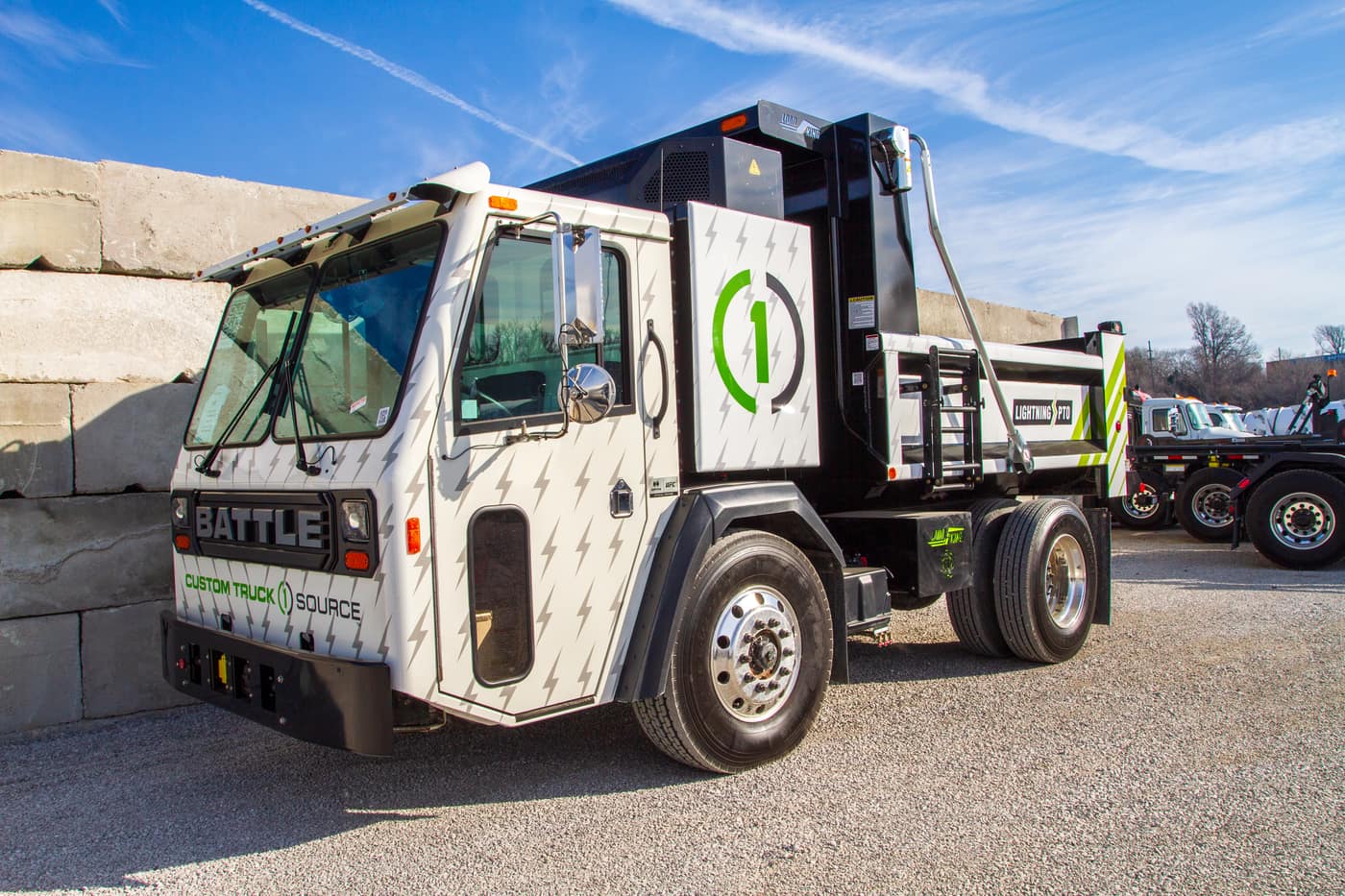
CTOS Reporting
Equipment & Fleet · Kansas City, USA
Data Engineering
- One source of truth
- Real-time visibility
- Automated ingestion
- Trustworthy numbers
Before vs. After
Before
- 15-day manual reporting
- Disconnected ERPs
- Data silos
- Delayed decisions
After
- Real-time dashboards
- Centralized warehouse
- Automated ingestion
- Improved reporting accuracy
Solutions used:

TD Securities
Financial Services · Canada · Global trading operations
Data Engineering
- One risk platform: Consolidate every LOB’s trade data
- Scale without strain: Absorb billion-record days comfortably
- Catch risk early: Threshold rules that flag anomalies as they emerge
- Regulator-ready: A governance-ready reporting architecture
Before vs. After
Before
- No unified risk reporting platform
- 1B+ records/day with performance issues
- No early risk detection, regulatory misalignment
After
- Centralised risk reporting across all LOBs
- Scalable Hadoop + Spark intake framework
- Threshold rule engine, governance-ready reporting
Solutions used:

OEC
Utilities · Ontario, Canada
ERP consulting, integration optimisation
- One governed ERP: Centralise every business unit on a single platform
- Utility-grade analytics: Regulatory reporting generated, not assembled
- Integration health: Optimised, reliable connections across the estate
- Mobility: Full remote access for field and office teams
Before vs. After
Before
- Dispersed data across business units
- Poor ERP governance and performance
- Manual utility reporting processes
- Limited remote accessibility
After
- Centralised ERP with optimised integration
- Scalable system with improved efficiency
- Real-time reporting with utility analytics
- Full mobility and remote access enabled
Solutions used:

PWSC
Insurance & Warranty · Chantilly, VA, USA
Dynamics 365 CRM implementation, change management
- One CRM: Sales, warranty and claims unified on Dynamics 365
- Product agility: A data-driven design that welcomes new products
- Self-service: Portals for homeowners and builders
- Defined claims: Structured workflows with SLA tracking
Before vs. After
Before
- Multiple systems for sales and claims
- No flexibility to add new products
- No self-service portal for builders/homeowners
- Manual and undefined claims processing
After
- Centralised Dynamics 365 CRM
- Flexible, data-driven architecture
- Self-serve portals for reduced support load
- Structured claims workflows with SLA tracking
Solutions used:

Professional Services
Professional services · Client name withheld
Business Applications (Project Operations)
- One project thread: Quote, plan, staff, deliver and bill on one record
- Margin in flight: Profitability visible while work is underway
- Bill everything earned: Approved time flowing straight to invoices
- Utilisation truth: Bench and burnout visible before they bite
Before vs. After
Before
- Four disconnected tools
- Margin discovered after the fact
- Unbilled time leaking away
- Utilisation unknown
After
- One record from quote to cash
- Live in-flight margin
- Billing from approved time
- Utilisation visible weekly
Solutions used:

Healthcare
Healthcare · Client name withheld
CRM & accelerator implementation
- One patient view: Every interaction, appointment and referral in one record
- Fewer empty chairs: Automated multi-channel reminders and confirmations
- Referrals that arrive: End-to-end tracking with owners and status
- Coordinated care: Departments working from the same relationship record
Before vs. After
Before
- Engagement scattered across tools
- Manual reminders, high no-shows
- Referrals by fax and memory
- No single view of the patient
After
- One coordinated patient record
- Automated multi-channel reminders
- Referrals tracked end to end
- Care teams on the same page
Solutions used:

Construction
Construction · Client name withheld
Business Applications (job costing & field)
- Daily job truth: Committed and actual costs current every day
- Paid-for changes: Every change order priced and approved first
- Connected sites: Crews reporting from the field in real time
- Early warnings: Jobs trending red flagged while it matters
Before vs. After
Before
- Costs assembled weekly from paper
- Change orders priced after the work
- Field crews disconnected
- Profit known at completion
After
- Daily committed and actual costs
- Changes approved before execution
- Sites reporting in real time
- Red flags raised mid-project
Solutions used:
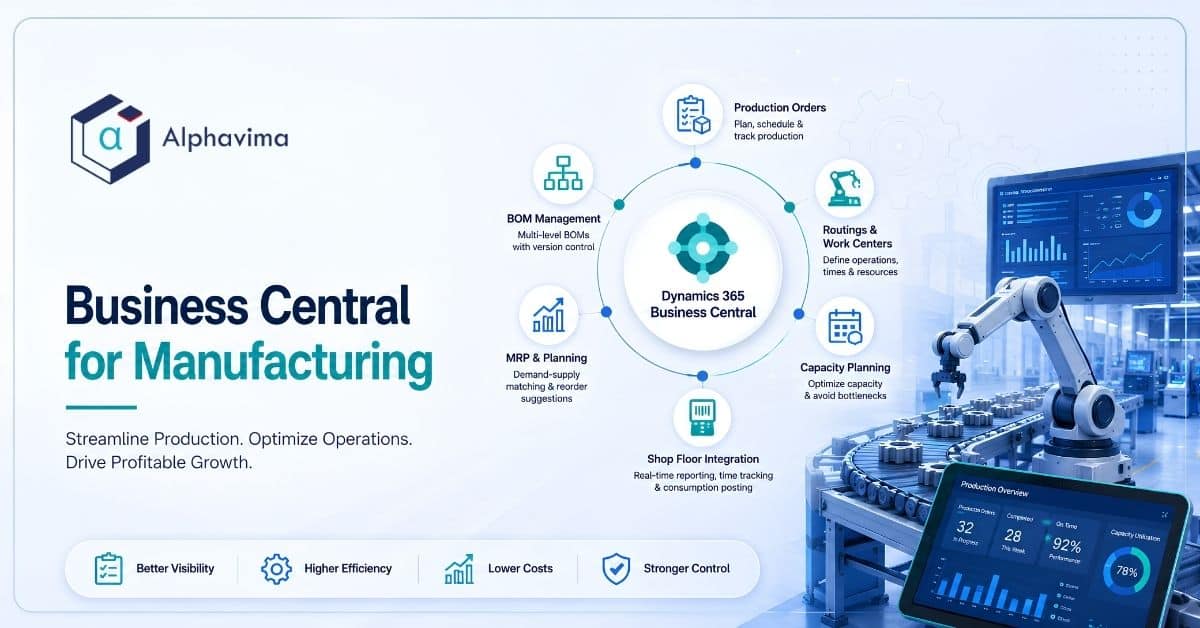
Food & Beverage
Food & beverage manufacturing · Client name withheld
ERP consulting (Business Central)
- Trace in minutes: Forward and backward lot tracing on demand
- True batch economics: Yields and costs captured per batch
- Always audit-ready: Compliance evidence as a by-product of work
- Right stock, fresh stock: Expiry-aware inventory and planning
Before vs. After
Before
- Paper batch records
- Recalls traced through binders for days
- Costs known long after production
- Audit prep as an emergency
After
- Governed recipes and lot control
- Full trace in minutes, both directions
- Batch-true yields and costing
- Audit evidence on demand
Solutions used:

Distribution
Wholesale distribution · Client name withheld
ERP consulting (Business Central)
- Count it once: Barcode-driven accuracy across every warehouse
- Touchless orders: EDI and portal orders straight into the system
- Promise with confidence: Real available-to-promise on every line
- Know the margin: Profitability by customer, SKU and lane
Before vs. After
Before
- Manual order entry and re-keying
- Paper picking, untrusted counts
- Promises made on guesswork
- Margin blurred by freight and rebates
After
- Touchless EDI and portal order flow
- Barcode accuracy at 99%+
- Real available-to-promise
- Live margin by customer and SKU
Solutions used:

Manufacturing
Discrete manufacturing · North America · Client name withheld
ERP consulting (Business Central)
- One system to run on: Finance, inventory and production on a single platform
- Shop-floor truth: Work-order status captured where the work happens
- Reliable planning: MRP driven by inventory numbers people trust
- Cost clarity: Real production costs, not standard-cost folklore
Before vs. After
Before
- Aging ERP covering finance only
- Paper travellers and manual tracking
- Inventory drifted from reality
- Planning from stale spreadsheets
After
- One platform from ledger to work centre
- Digital capture at the point of work
- Inventory accuracy people trust
- MRP planning from live demand and stock
Solutions used:

BYU
Higher education · Provo, Utah, USA
ERP modernisation, rental & inventory management
- Fill the gaps: Inventory and rental capability Workday lacks
- Track everything: Every asset visible, campus-wide
- Stay integrated: Real-time sync with Workday, not batch files
- One view: Centralised reporting across departments
Before vs. After
Before
- Legacy PeopleSoft with limited functionality
- Critical Workday gaps for inventory & rental
- No asset tracking or consolidated visibility
- Disconnected financial/procurement systems
After
- Modern campus-wide PREXA365 inventory & rental
- Real-time integration with Workday
- Asset tracking and centralised reporting
- Unified, scalable solution across departments
Solutions used:
What Our Clients Say
Be inspired by our clients’ stories as we overcome challenges and achieve success together.
Brigham Young University
IT Operations Manager
Brigham Young University improved campus-wide inventory and rental tracking using PREXA365 integrated with Workday.

Holly Evans
Patient Support Officer, PC Project

Alltura Machinery Manufacturing
Lift equipments Operator

Shan Abbasi
Manager, Community Engagement, Volunteer MBC

Chad Jones
Managing Partner | SME | Integrator, Caprock Rentals, USA

Anick Silencieux
Executive Director, SBC

LBD Construction Group
Operations Manager

Daniel Ishikawa
CEO, Lyght Living
Lyght Living improved furniture rental operations using PREXA365 for inventory and order management.

Pascale Décosse Léger
Communication Director, SBC